Cost Tracking Overhaul
A $21M project was being tracked across four linked workbooks that only the original creator understood. New PMs couldn't touch it without breaking something. We consolidated the whole thing into one structured workbook with a live budget dashboard any PM can pick up on day one.
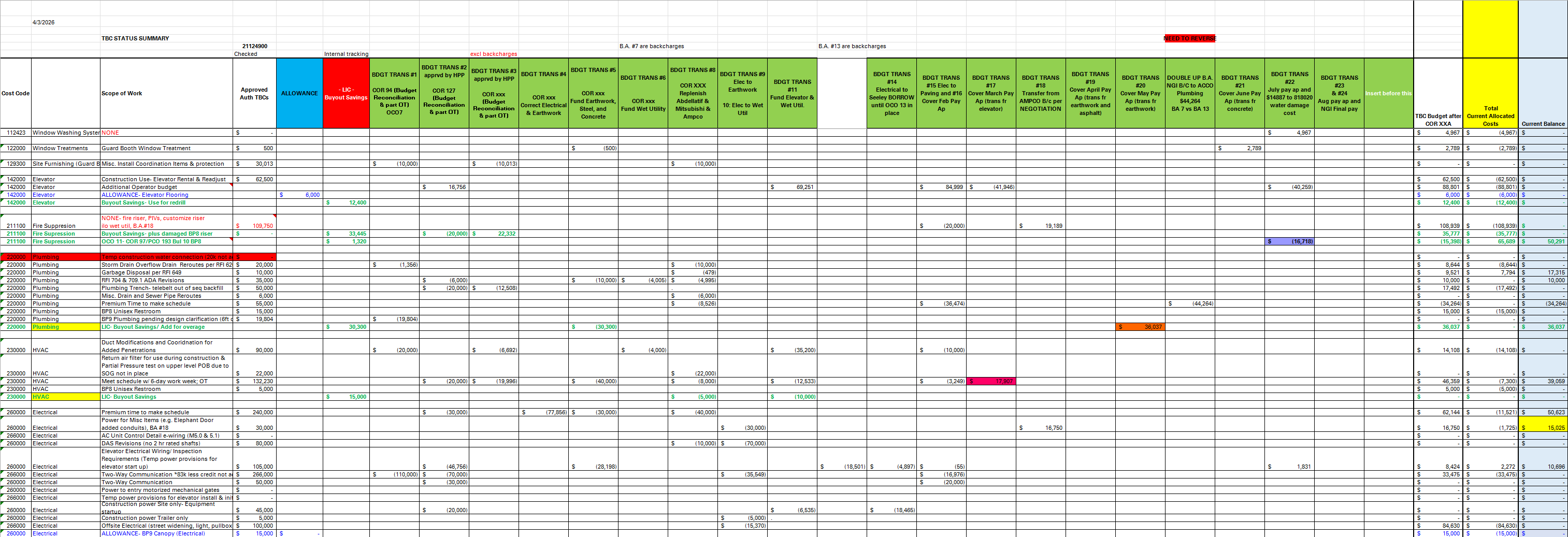
The problem
A general contractor tracking a $21M project across a sprawling spreadsheet: hundreds of columns, linked to three other workbooks, color-coded notes only the original creator understood. Reconciliation meant opening four tabs and cross-referencing by hand. New PMs couldn't use it. Mistakes were costing real money.
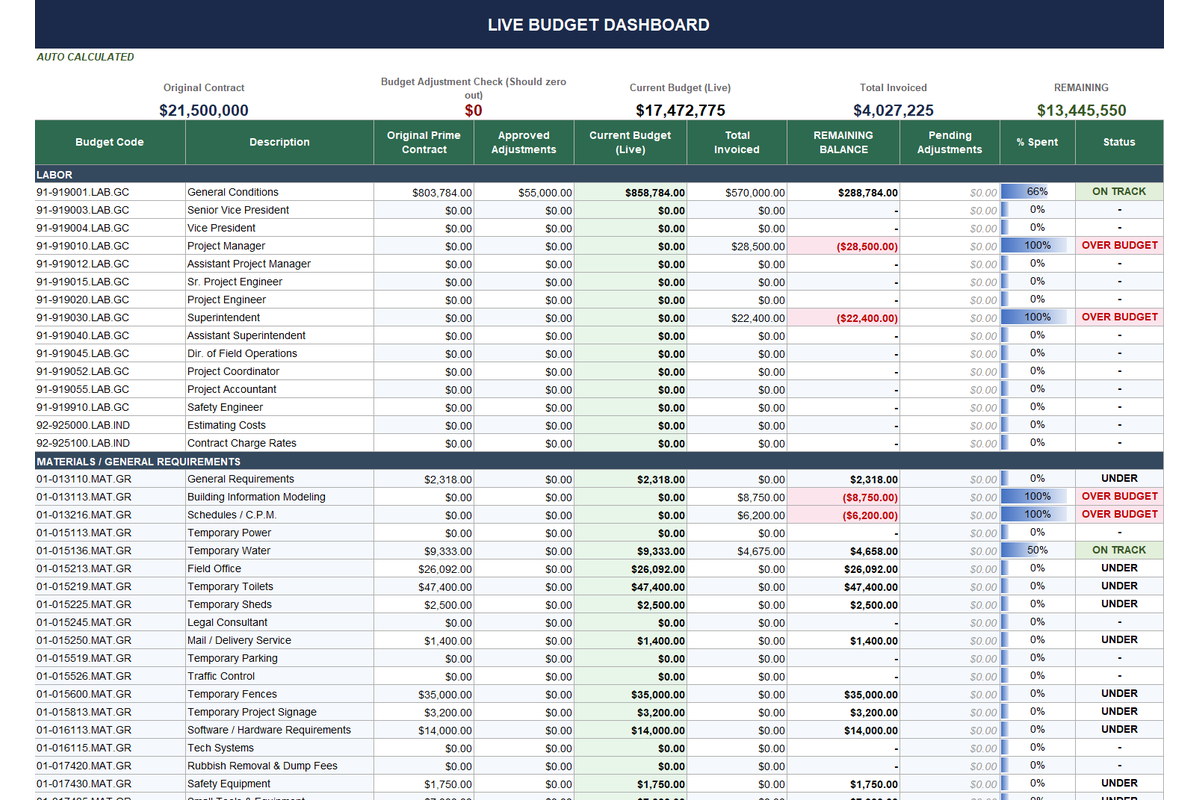
What we built
Replaced the entire system with a structured workbook: pre-set input areas for cost codes, budget adjustments, and an invoice log. The live dashboard auto-calculates original contract, approved changes, current budget, total invoiced, and remaining balance.
Outcome: Any new PM picks it up day one. Now a reusable template deployed on every project.
Tools & techniques
We kept the tool the PM already knew, Excel, and rebuilt everything underneath it. The goal wasn't to introduce new software; it was to make the workbook behave like a small internal application, with named inputs, predictable outputs, and a dashboard that couldn't be broken by a typo.
One workbook per project, not four
Consolidated the four linked workbooks into a single source of truth. Cost codes, the change-order log, and the invoice log each live on their own tab with structured tables, so every new row inherits formulas automatically.
Structured inputs with validation
Every data entry area is locked to a picklist: cost code, vendor, change-order ID. Data Validation + named ranges mean the PM can't post an invoice against a cost code that doesn't exist, and the dashboard never sees an orphan row.
Dashboard that reads itself
The live dashboard uses SUMIFS over named ranges instead of cell references. Add a row to the invoice log, the dashboard updates. Insert a new cost code, it appears. Nothing needs to be dragged down, re-pointed, or re-linked.
Handoff-ready by default
The workbook ships with a README tab, a colour legend, and protected structural cells. A new PM opens it and is productive inside an hour. No tribal knowledge required, no "ask the original creator" step.
Have a version of this in your own business?
Book a free 30-minute call. We'll walk what you're doing now and show you what's fixable.